Wise (formerly TransferWise)
Reducing chat abandonment for 15M users
21% of customers abandoned the support chat before resolution, causing increased costs and reduced satisfaction.
Role
UI/UX Design Workshop Facilitation
Industries
Fintech
Date
July 2025
PROBLEM OVERVIEW
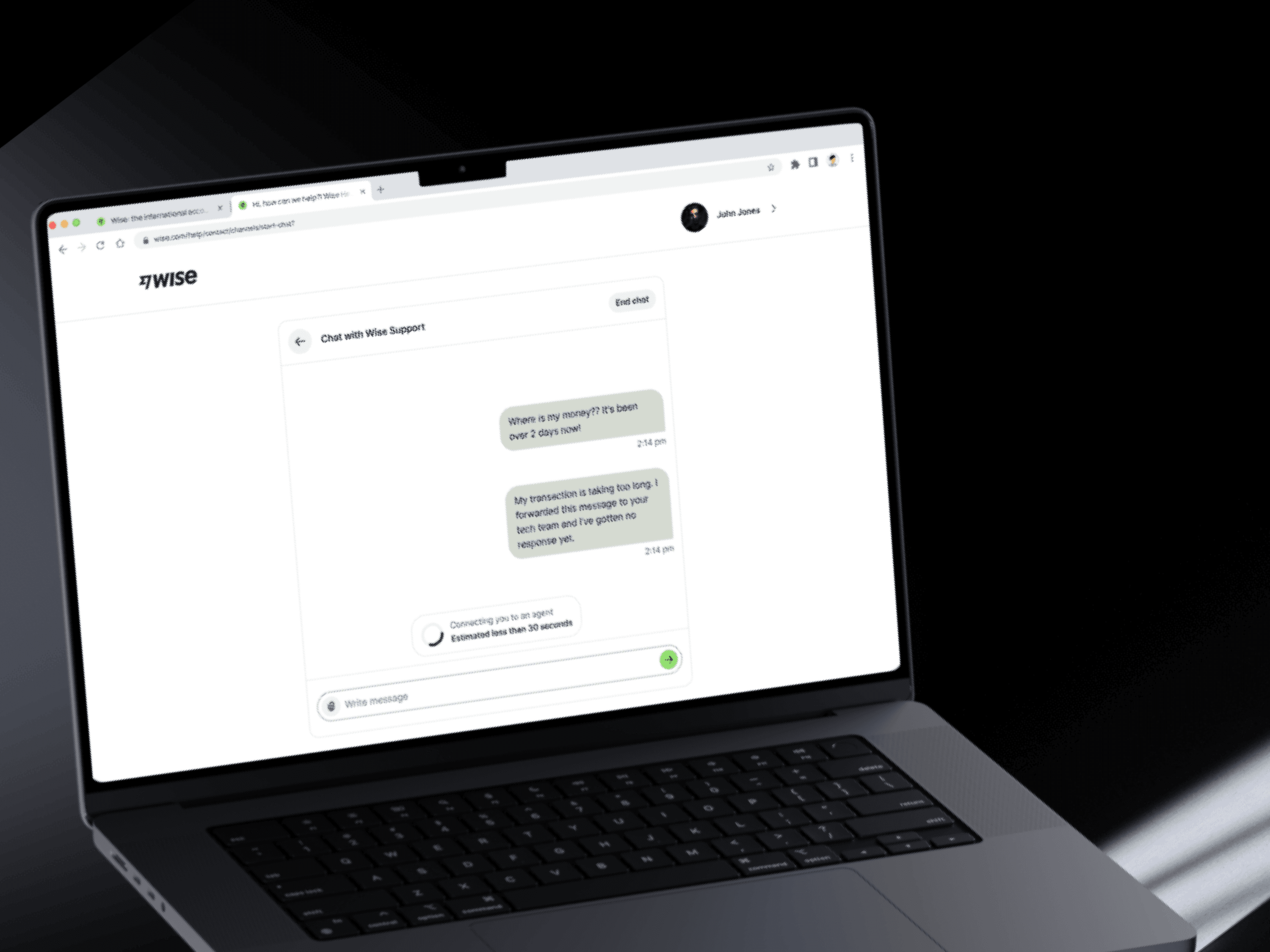
From observing customer behavior and user research, we learned that the majority (18%) abandoned after agent assignment but before the agent's initial message, with 3% abandoning while in the queue. Furthermore, customers on the web were 5% more likely to abandon their chat due the non-immersive web experience that made it easy for multitasking users to lose track of the pending response. The lack of web notifications also meant customers were unaware when an agent joined and 15% faced friction from an unnecessary "reopen chat" click when retracing the chat. Therefore, we inferred that silence in the chat led to uncertainity about the chat status. This situation was amplified by minimal visual feedback in chat which generated doubt about session status.
THE GOAL
THE SOLUTION
THE PROCESS
Concepts tested
Interview participants
Competitors studied
Mapping the Customer's Journey
The customers' journey
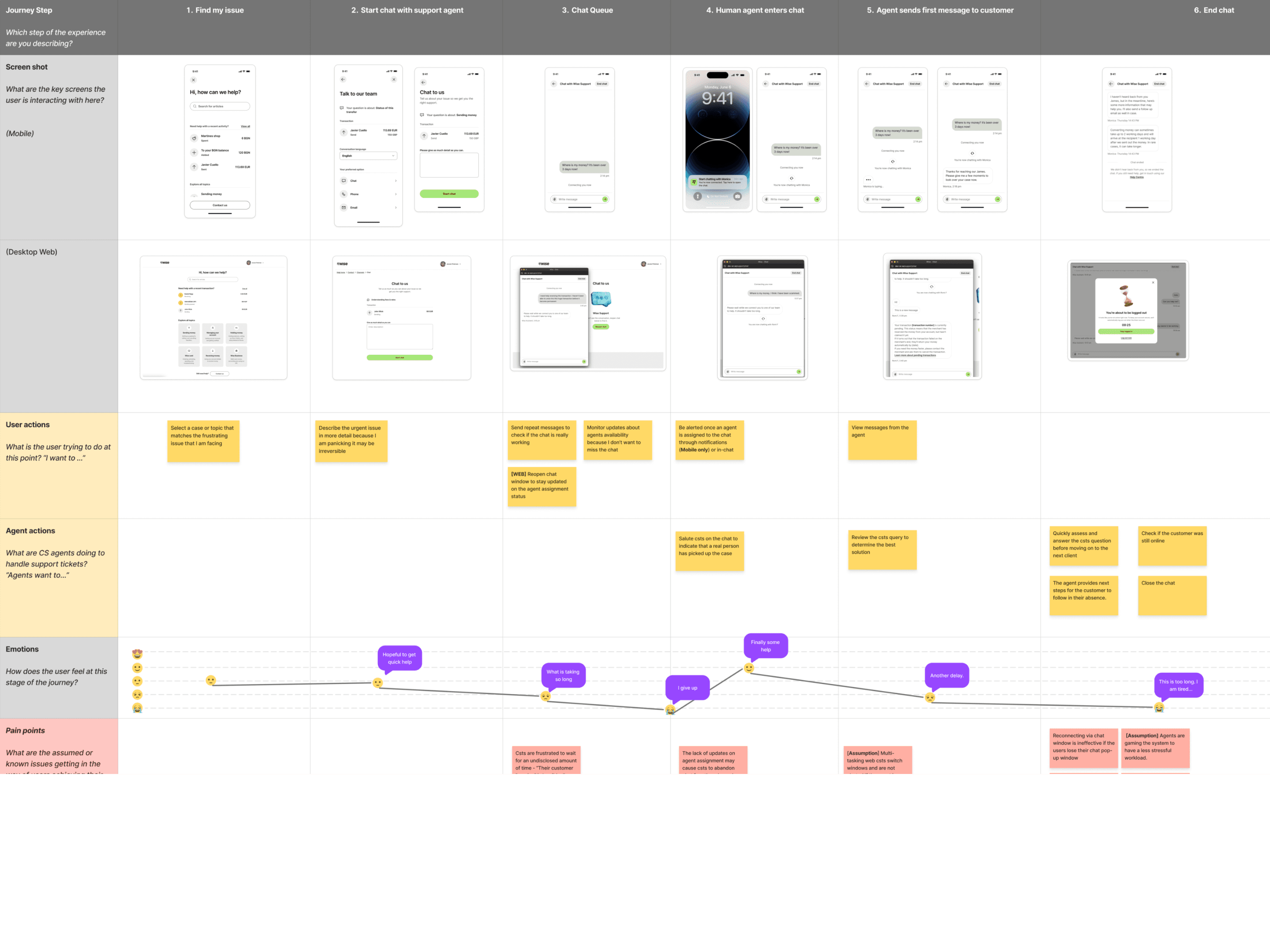
To kick-off, I collaborated with analysts and engineers to gather relevant data points to chart the existing customer's journey. I then mapped screens, metrics and previous research learnings to create the user journey map starting from the support home screen up to when they abandoned their chat / after the agent had joined in.
Figuring Out The Why
Who we were designing for
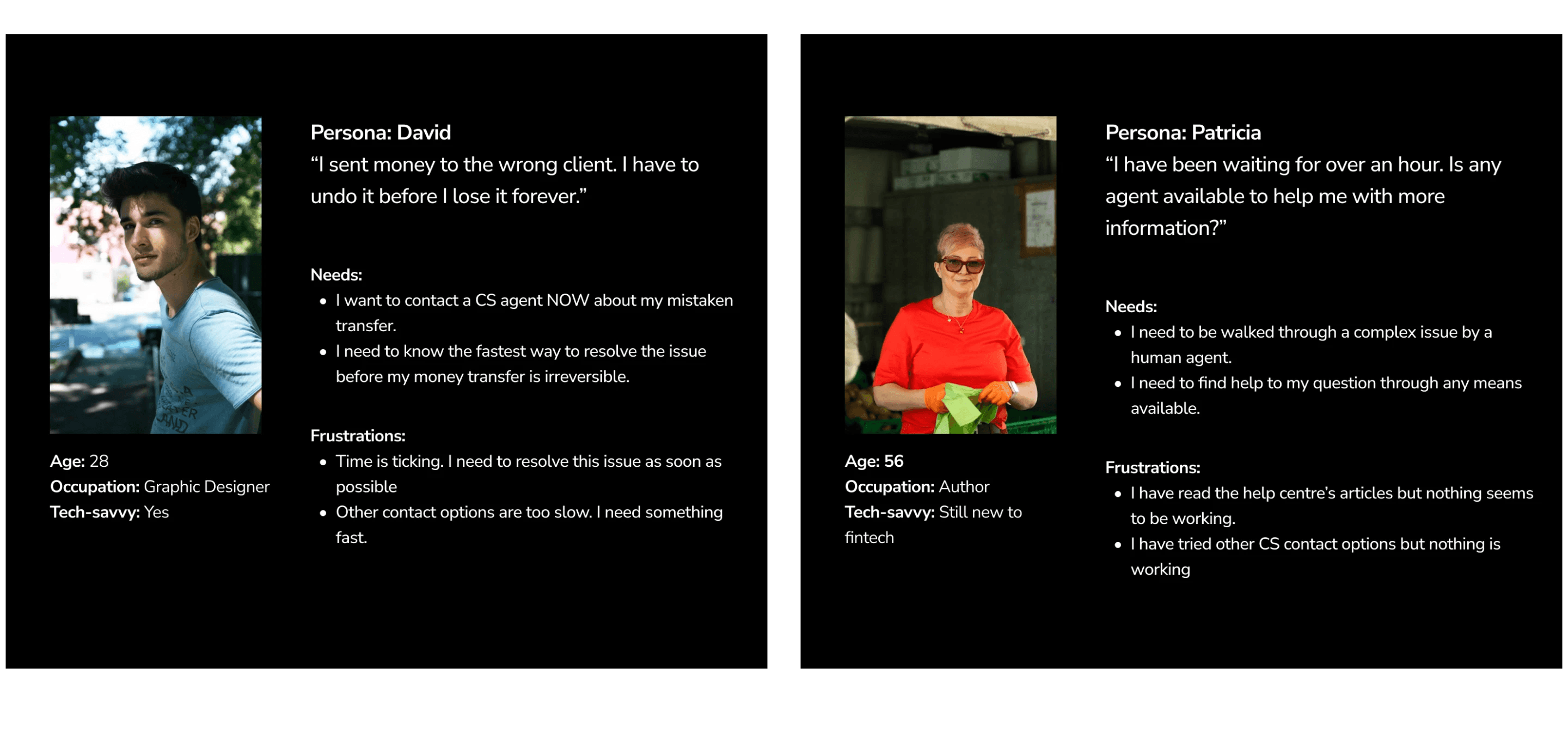
By analyzing existing data, I identified two user segments who were at different levels of comfort with fintech solutions and some were more likely to wait before an agent joined the chat.
User pain points
Furthermore, I observed common pain points among our customers that contributed to frequent abandonment:
Customers were willing to wait for approximately 3.8 minutes before abandoning the queue with some willing to wait longer if they had a critical issue.
Most customers were frequently multitasking (looking at emails, browsing, and more) but periodically checking the chat for updates.
If the agent's response is not forthcoming, over 70% would send random messages into the chat, like greetings and angry messages, for example, "Hello, anybody here??"
In conclusion, customers were more likely to wait if they had a faster and more pleasurable waiting experience. The key to reducing abandonment was to improve customer's experience in the queue.
It wasn't that customers had to wait; it was the silence that caused uncertainty.
Exploring Ideas
Competitor analysis
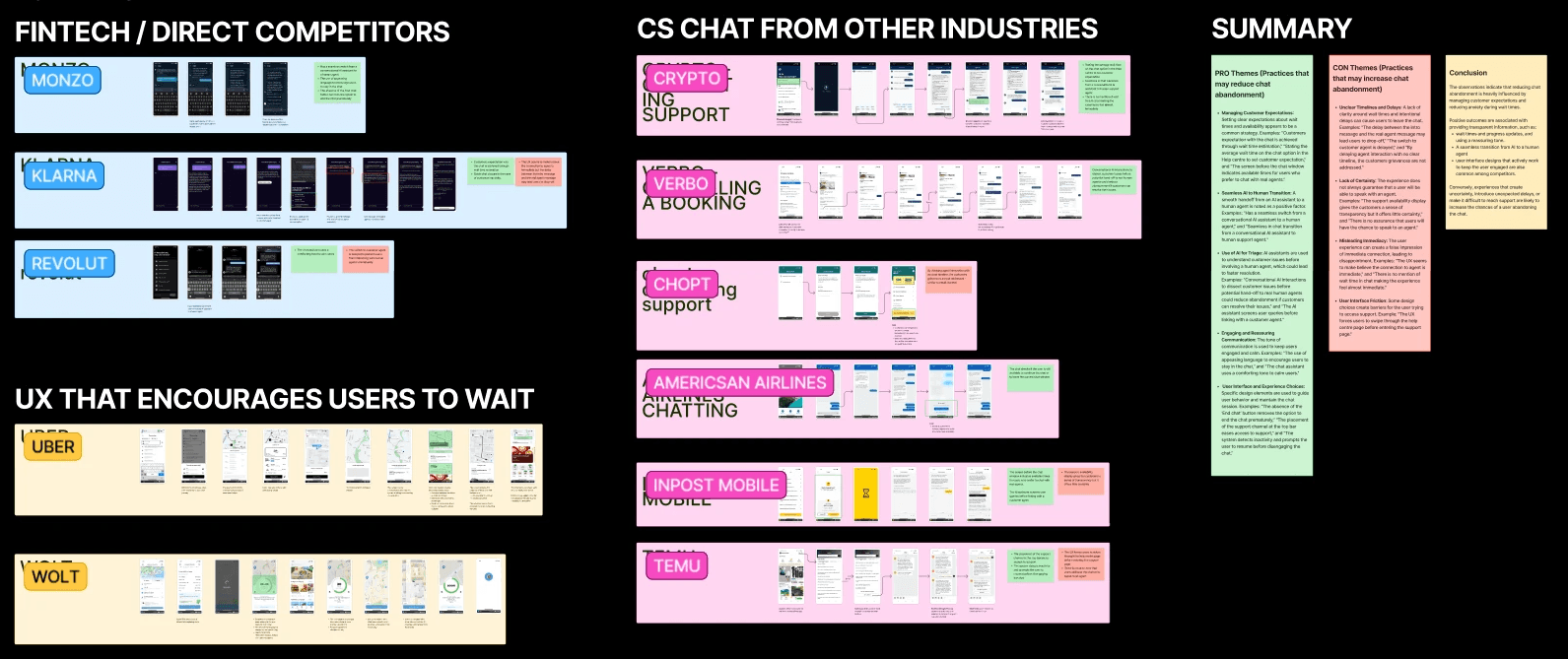
First, I explored how competitors and other wait-encouraging user experiences encouraged their customers to wait. From it, I observed the use of animation to distract users from waiting anxiety, and displaying of wait status updates.
Brainstorming with internal team
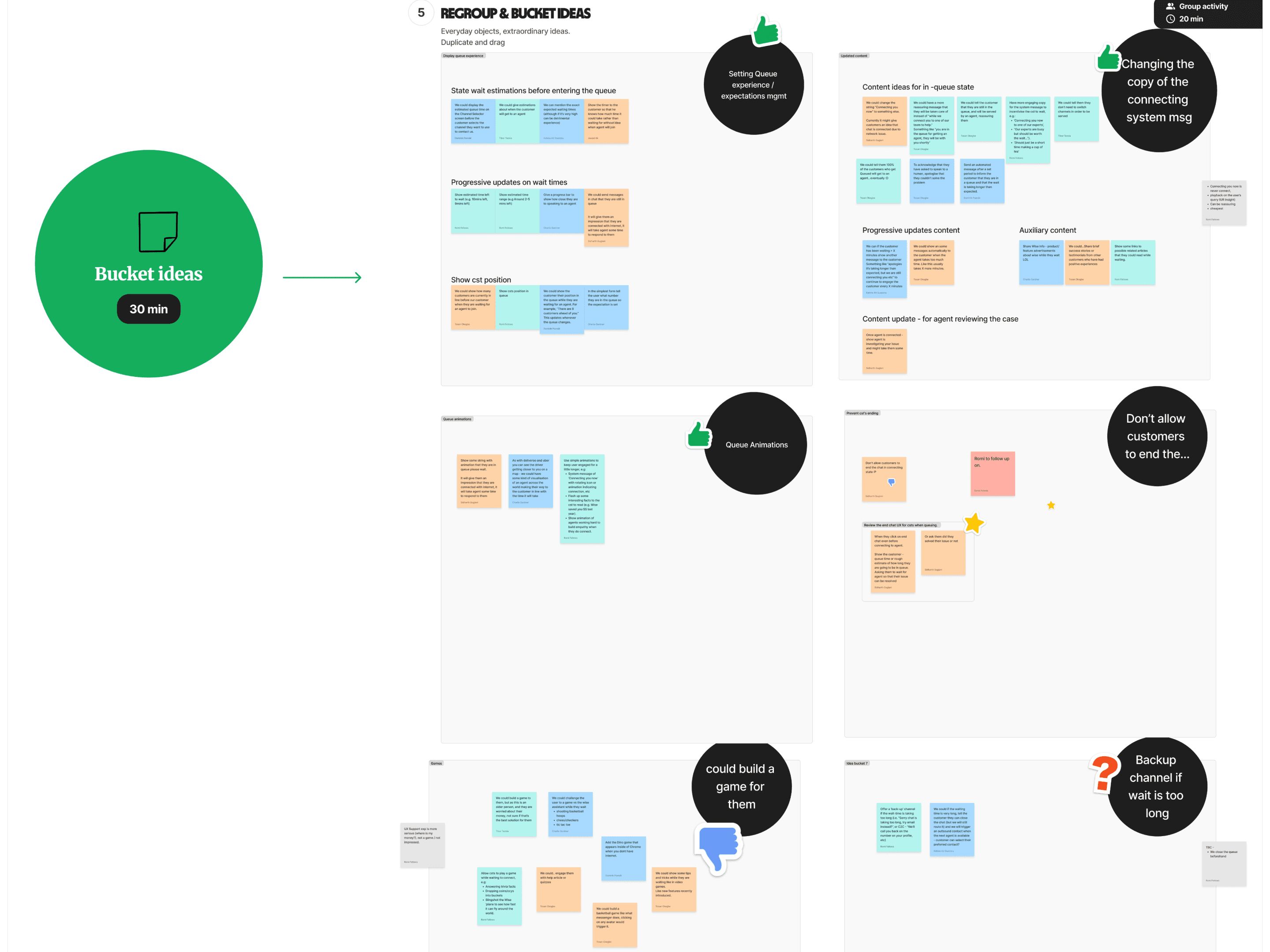
I later organized and facilitated a brain storming session with the team's product managers, engineers, analysts, and designers on the team. Through our collaborative efforts, we curated 10 ideas to tackle abandonment by Wise customers. I narrowed it own to three concepts in preparation for user testing.
Testing Concepts
Process
We engaged 8 participants in moderated user interviews via the UserTesting.com platform. We targeted general consumers on online banking platforms who had recently contacted their bank for support via chat. During the interviews, I discussed their recent bank support chat and had them reflect on 3 different concepts to improve the queue experience.
Summary of findings
Here's a summary of our learnings from the different concepts:
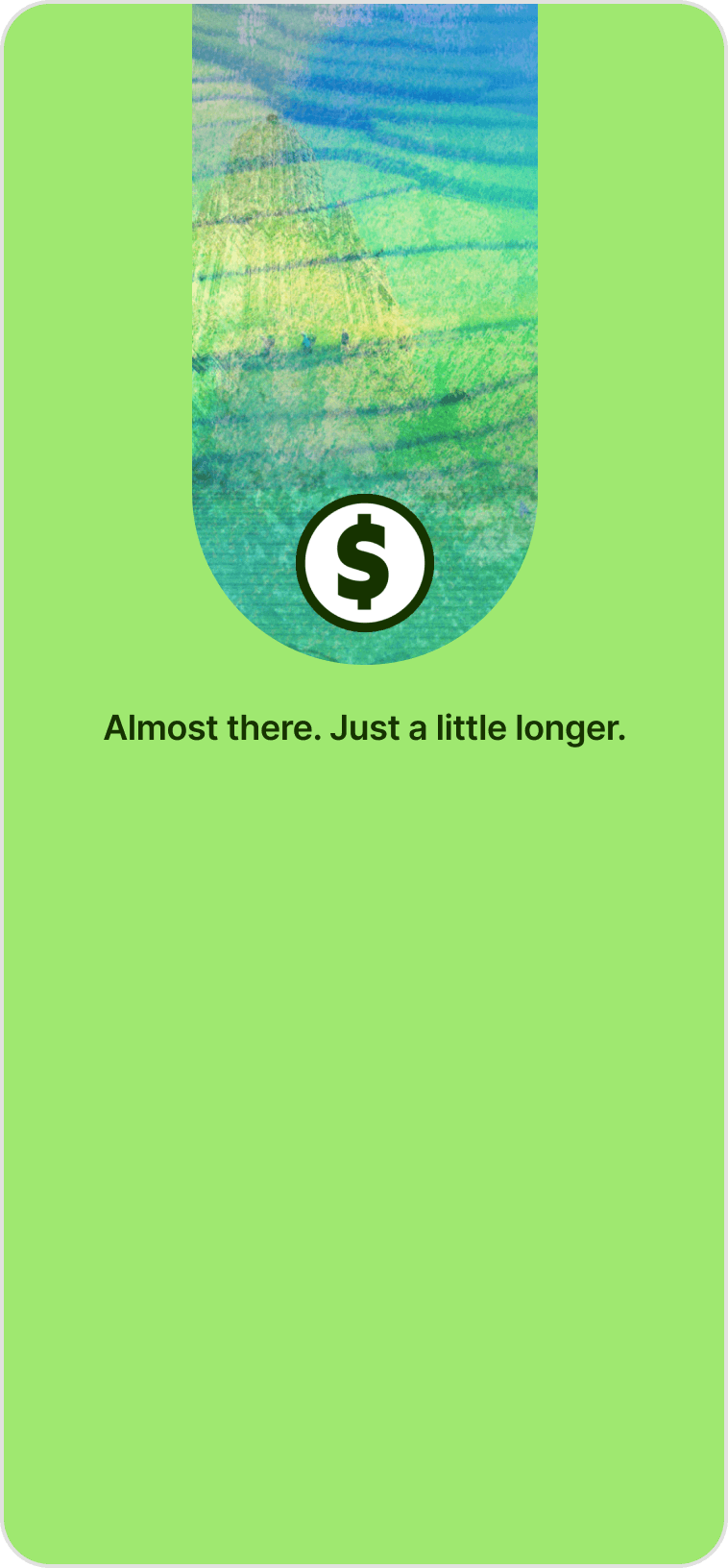 | Be clear and specificOur animated messages weren't charming, they were confusing; more frustration. We learned that customers wanted control over their time; they needed more information.
| |
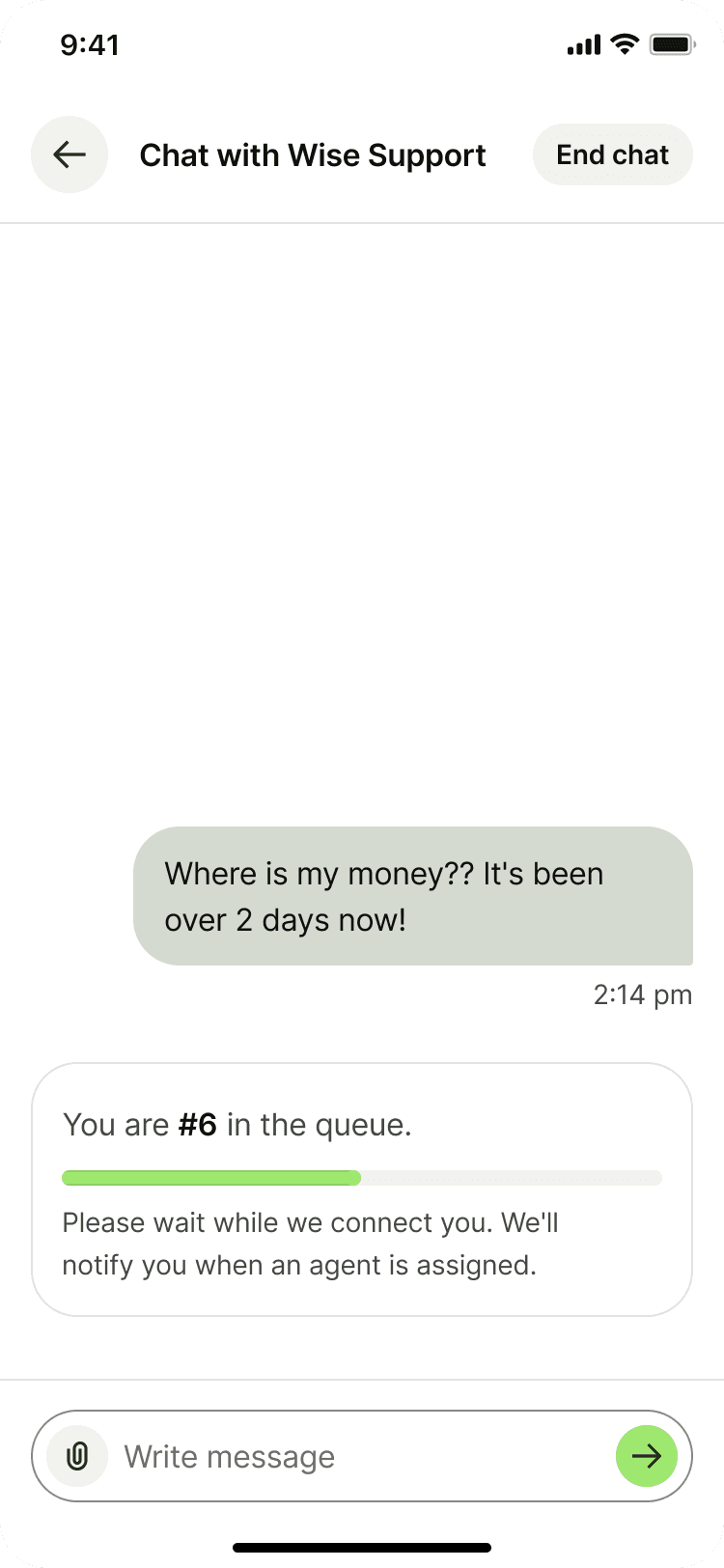 | Speed over queue positionThe queue position was useless if it wasn't moving fast enough. We needed to frequently update their status to ease anxiety.
| |
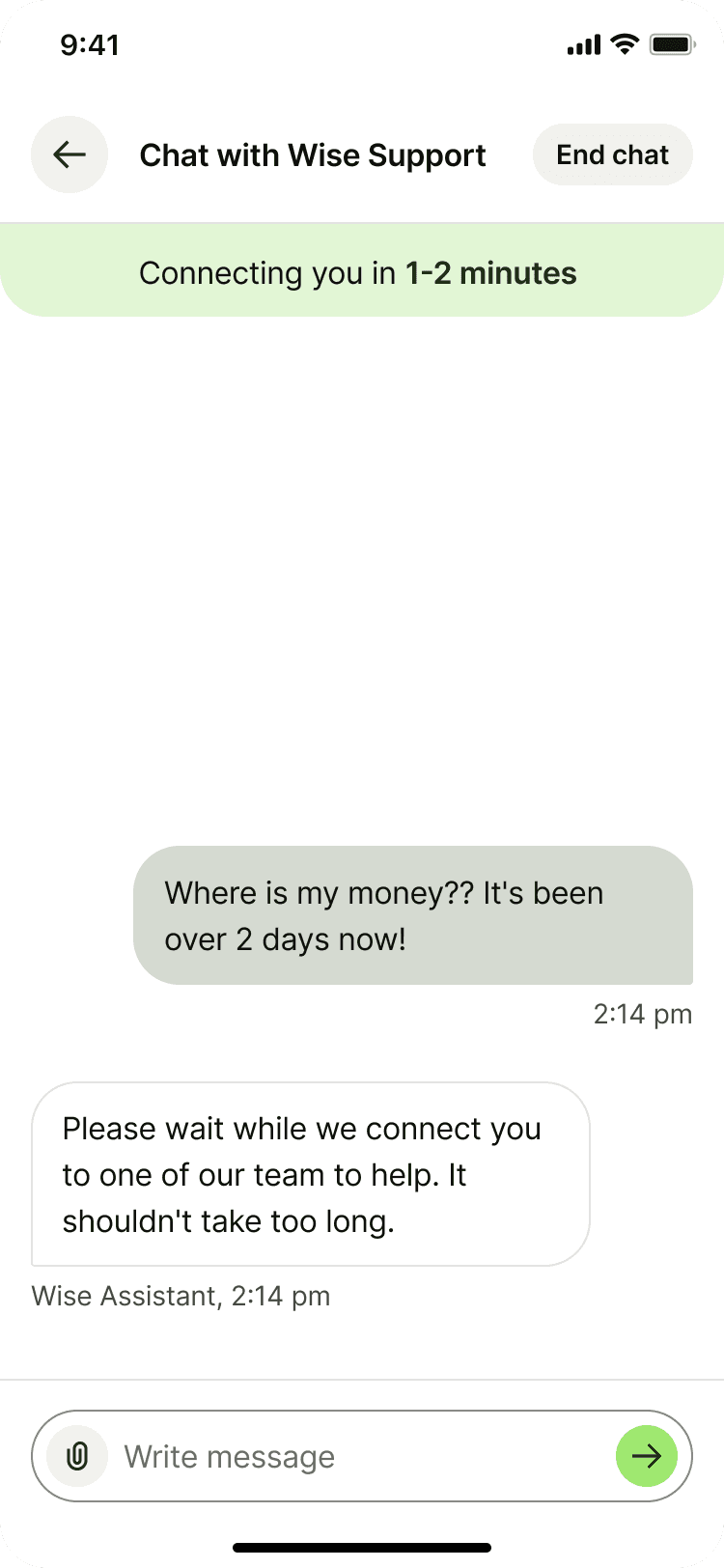 | Placement is everything.Showing wait times was the best approach to setting customer expectations. However, their eyes were glued to the bottom of the screen anticipating the agent's response. Our solution needed to be placed where they were expecting it. |
Our winner was a clear, dynamic wait time display, positioned for maximum visibility.
Iterating through designs
Having settled on displaying wait times as best approach, I resorted to refining on the wait time widget for mobile and web platforms. I partnered with senior designers in the design guild where I also received great feedback on different versions.
Wait-time widget iterations
I explored different variations of the widget component, playing with its structure, content design, color messaging and animations.
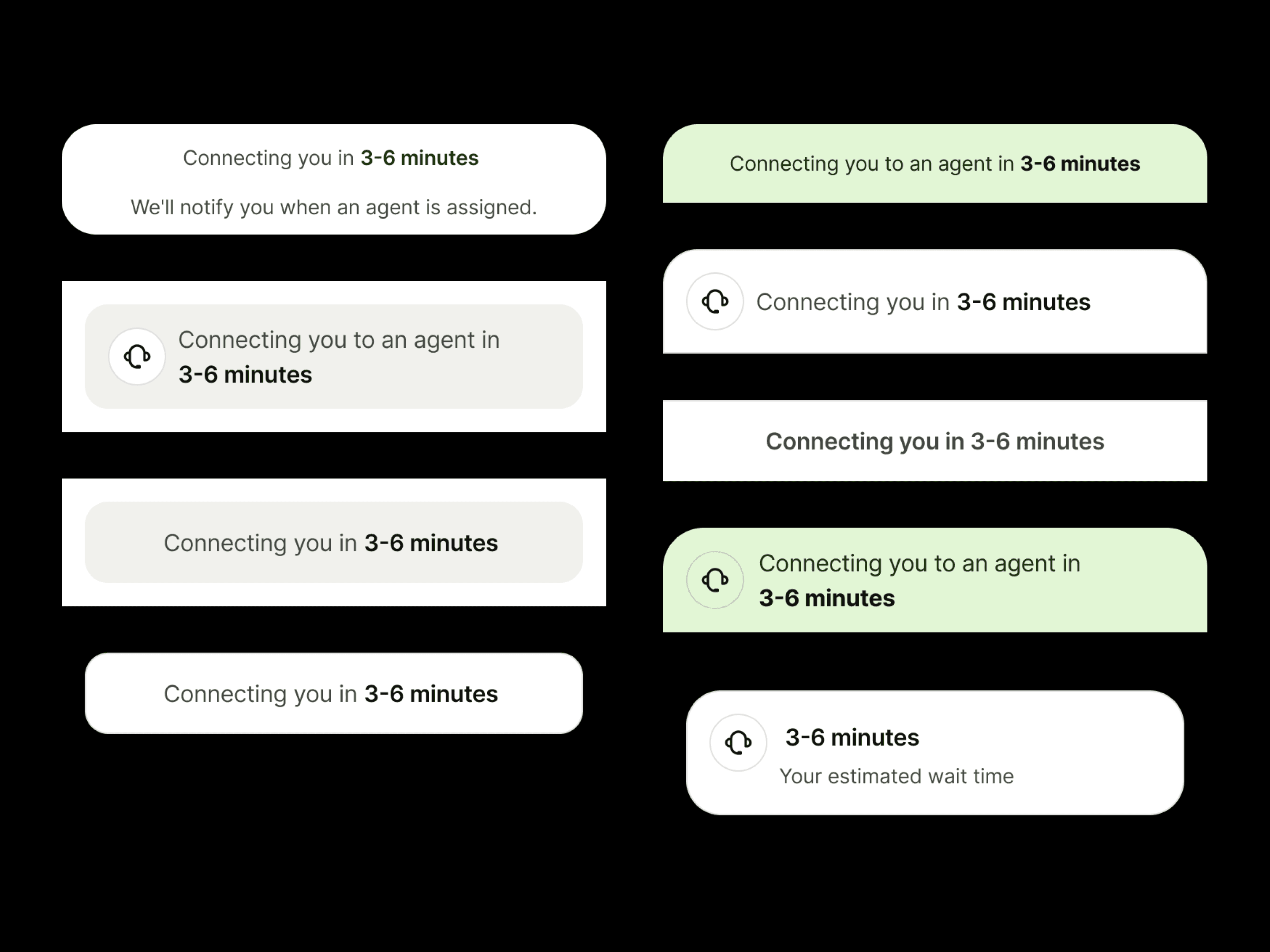 | Static Widget & Dynamic Wait TimesWhile the wait time was displayed, the stagnant update frequency created a negative feedback loop, inadvertently causing user anxiety instead of providing a calming sense of progress. |
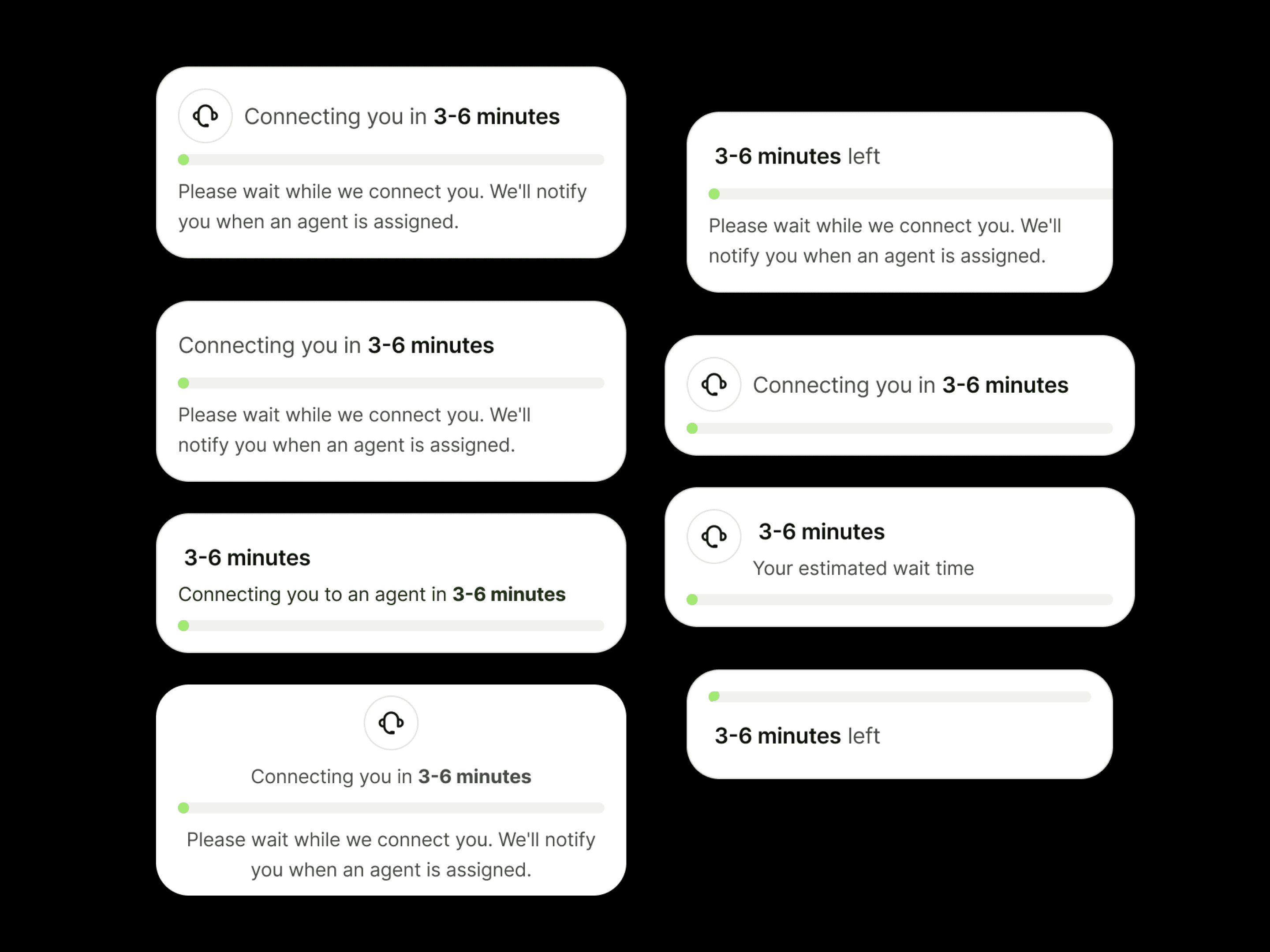 | Introducing a progress barThe added motion provided visual interest, yet the slow refresh rate created a critical trust deficit, failing to communicate the immediate, active status of the background assignment. |
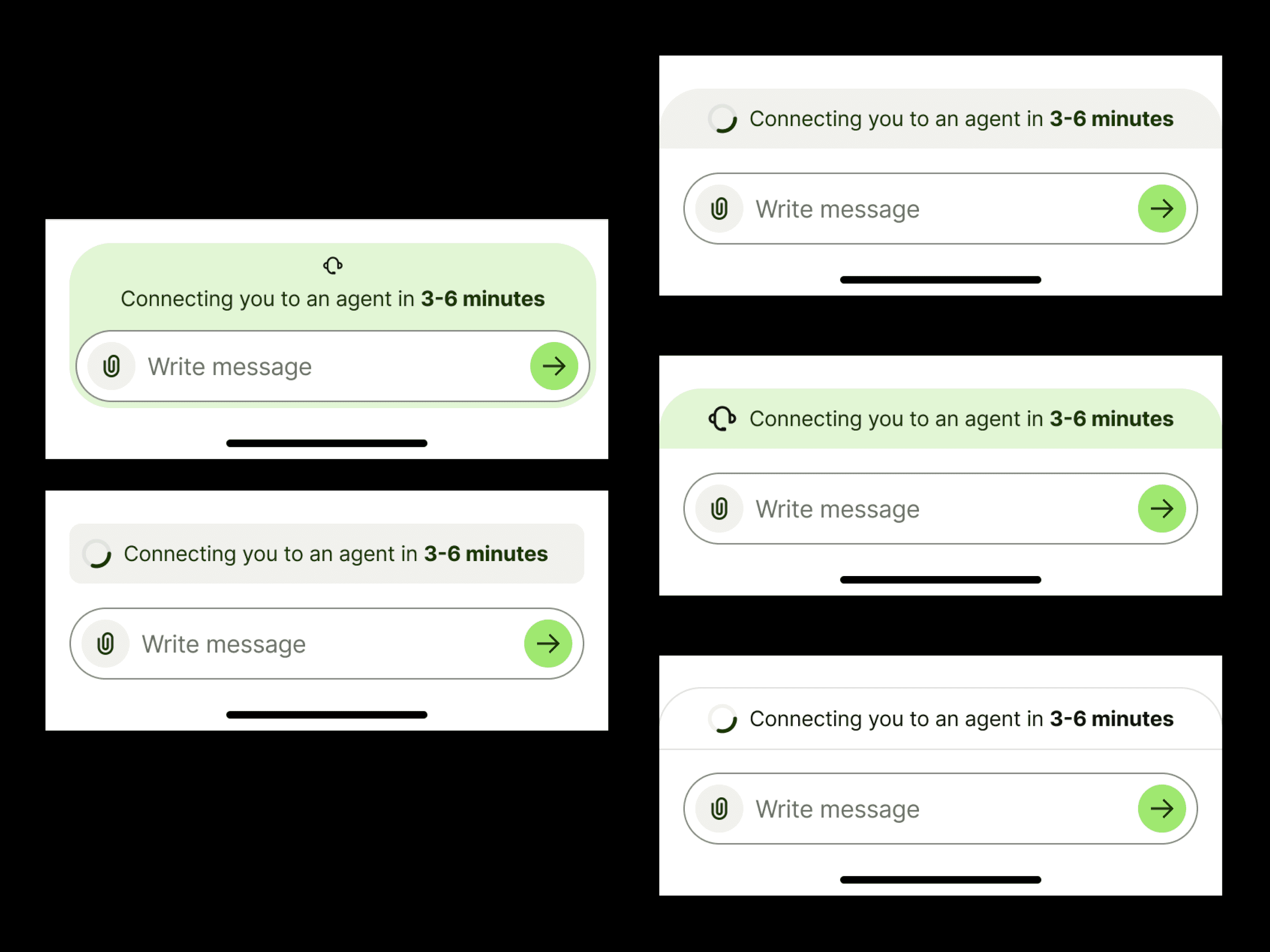 | Placement experimentationWe explored various low-profile wait time indicators. We quickly deprioritized approaches that compromised design system cohesion or presented unnecessary implementation hurdles. |
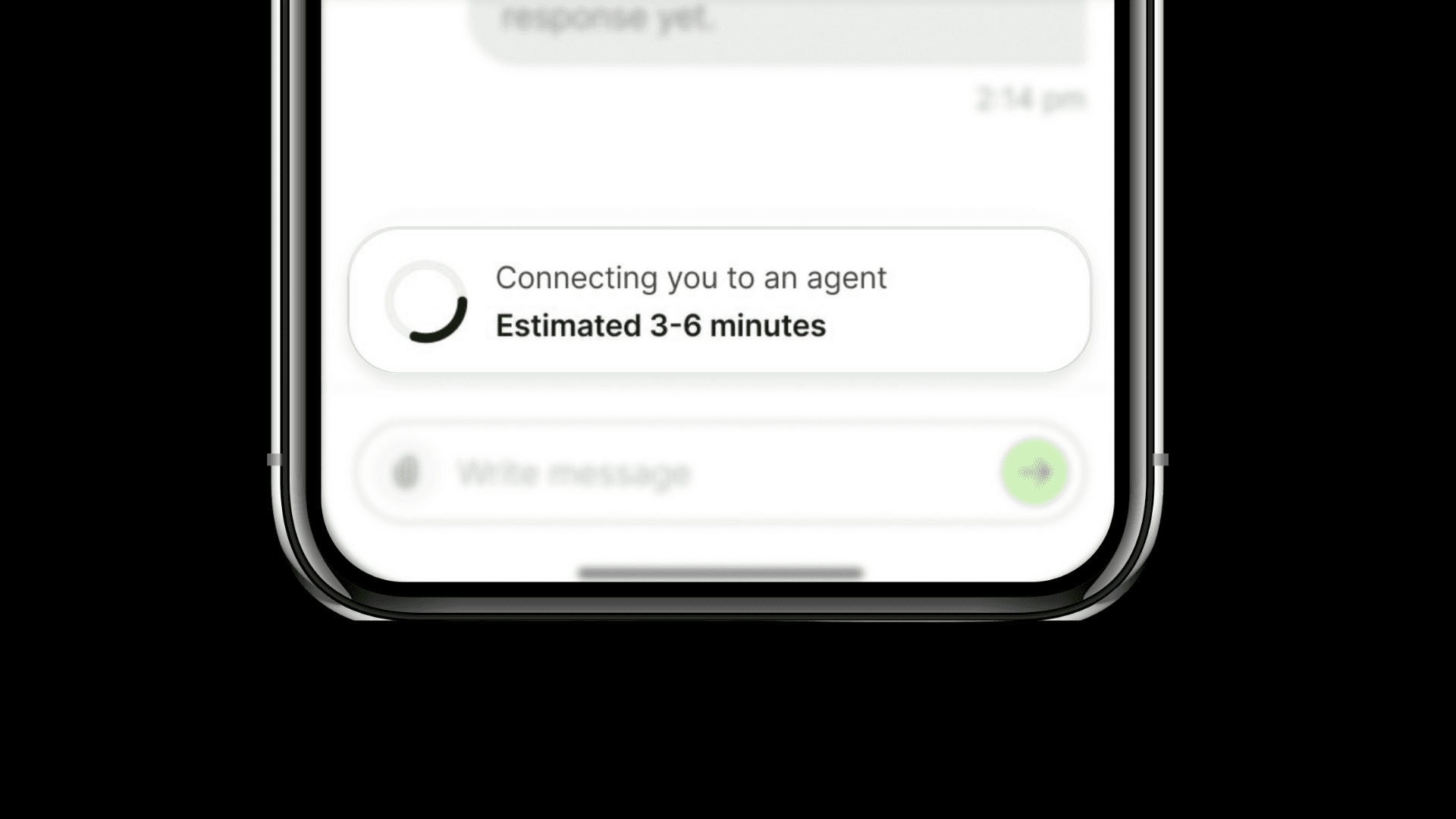
Eventually, the following design was selected after team collaboration, prioritizing consistency, clarity, and system adherence. The component met the following critical objectives:
Clarity: Subtle visual treatment ensures it doesn't overpower the main chat while its optimized structure allows for quick, easy scanning.
Distinctness: The unique composition provides clear visual separation from other chat elements.
System Cohesion: Adherence to the Wise design system and established patterns ensures a homogenous and trustworthy user experience.
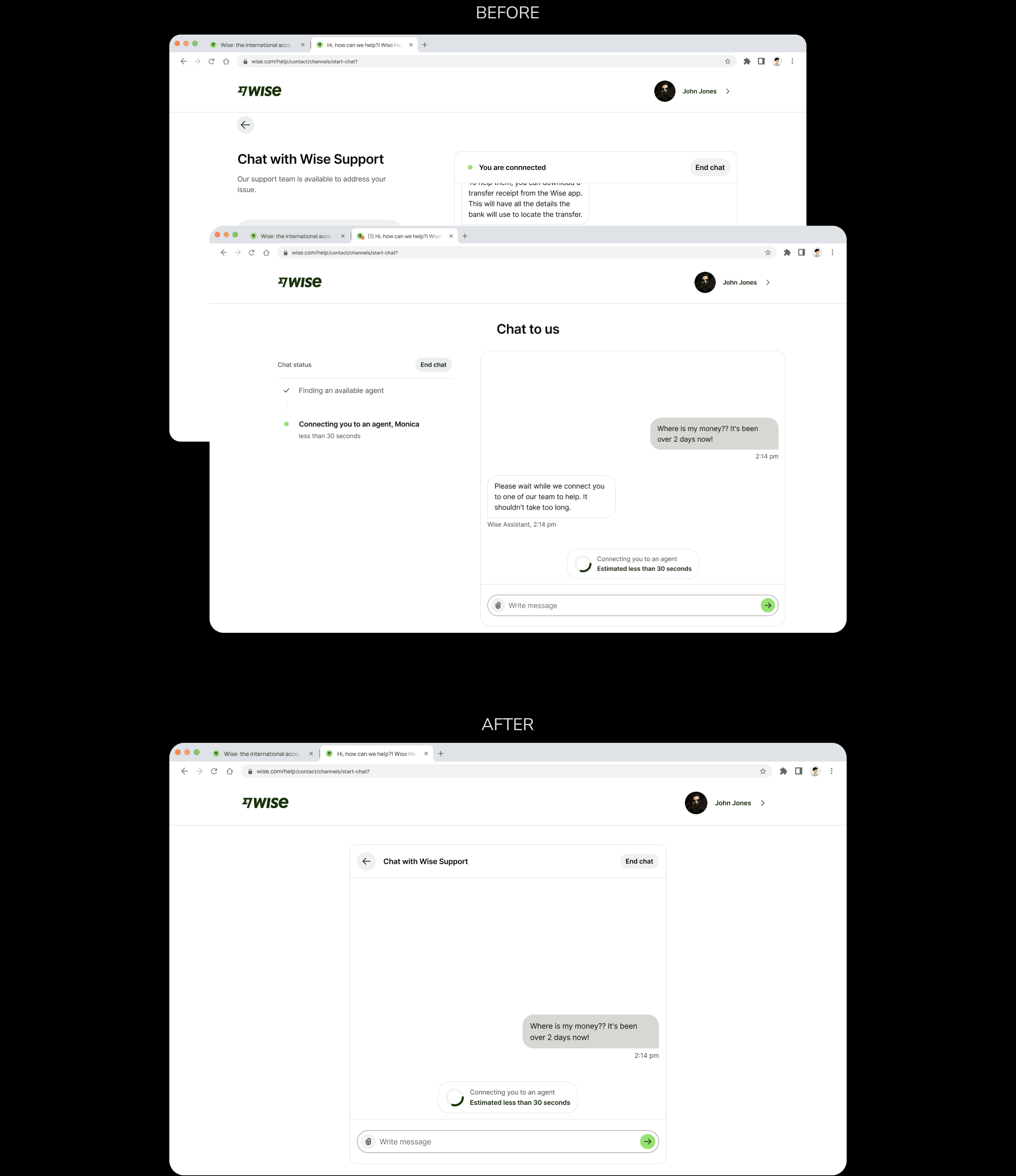
Web chat Redesign
Following team discussions, we opted to have users navigate to a new full screen chat display as the new tab would allow us to add a favicon to the chat tab, and custom sound notifications. I proceeded to explore two-column and single column options for the chat.
In the 2-column approach, I wanted to provide customers with context about the ongoing conversation but we pivoted from this approach as it proved to distract users' focus from the chat box and left the design imbalanced.
Therefore, we pivoted to a single column design, where I explored different stacking options.
REFLECTION AND CONCLUSION
During this project, I had the chance to work with some of the top designers in the fintech industry. I learned the value to cross-team collaboration and was greatly mentored to improve my craft and process as a problem solver. Furthermore, the reliance on user data boosted the confidence in my solution. I endeavour to continue using this approach to guide my design decisions.