Wellthi CMS
Wellthi's Content Management System
The Wellthi CMS allows partner content creators to manage their content and moderate community activities effortessly.
Role
UI/UX Design Content Design
Industries
Social Media
Date
September 2024
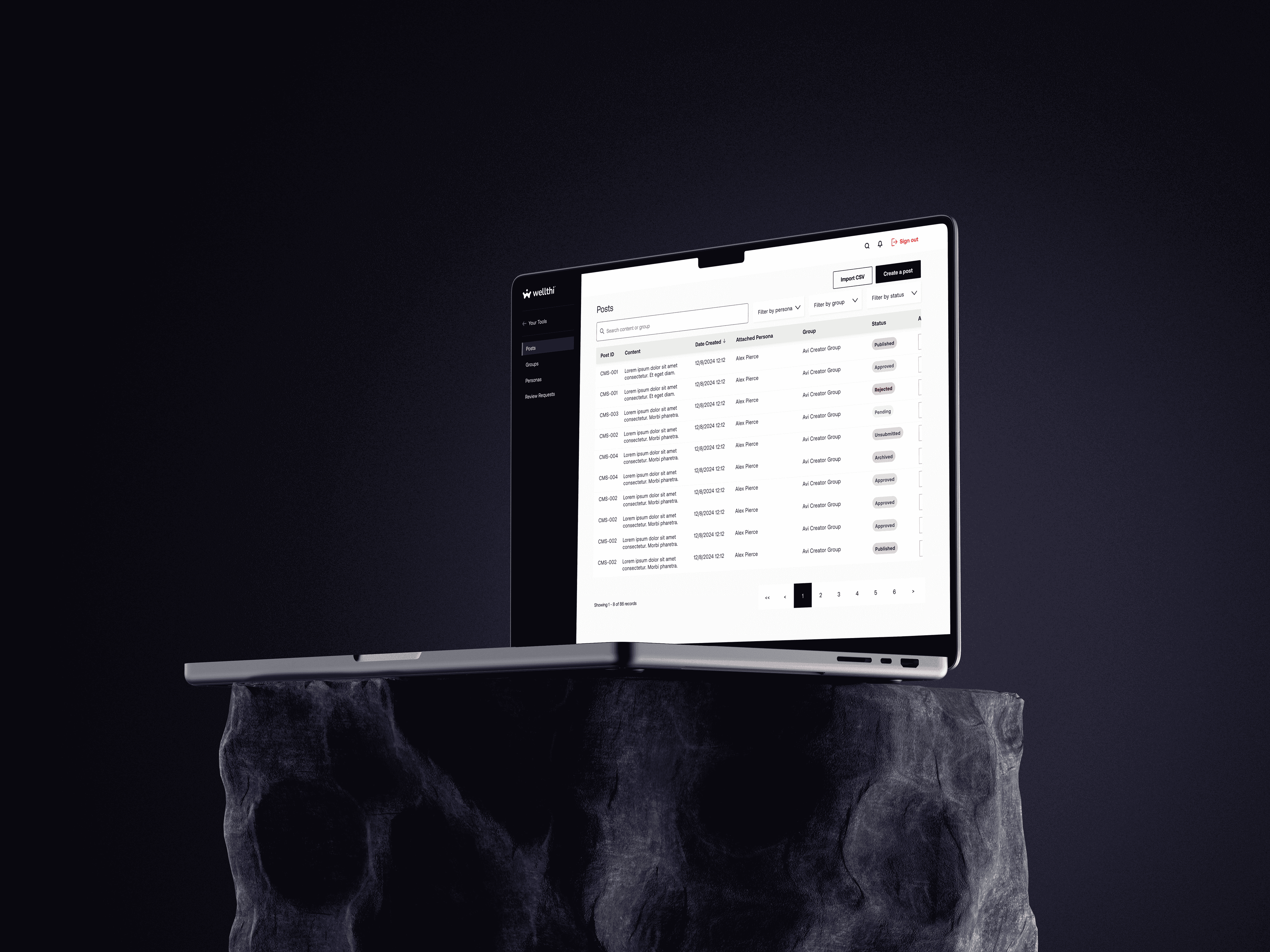
PROBLEM OVERVIEW
Wellthi has partnered with financial advisors and content creators in the financial community to publish financial content on her platform. These partner institutions have designated teams that need elaborate tools to manage their communities. The requirements for the platform were: ☑️The platform had to allow creators to manage multiple app profiles ☑️The design had to adapt Salesforce's component library to match Wellthi's design system ☑️ The user flow had to mirror an existing template from the develpment team
THE GOAL
THE SOLUTION
THE PROCESS
Internal requirements review
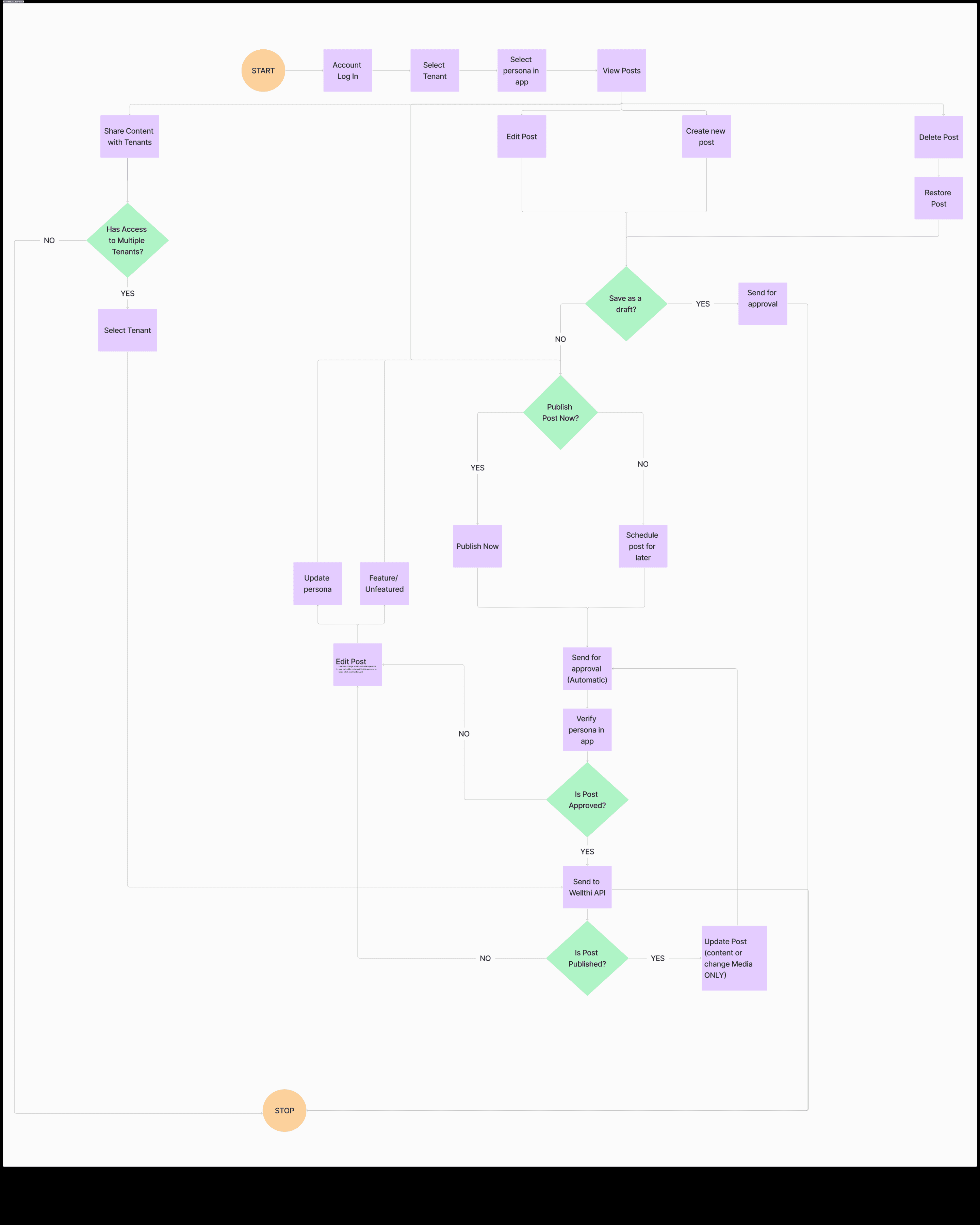
To kick-off, I had several meetings with the Wellthi team to discuss and map out the different features and user journeys. I then created a detailed user flow diagram that highlighted key user actions.
Designing the solution
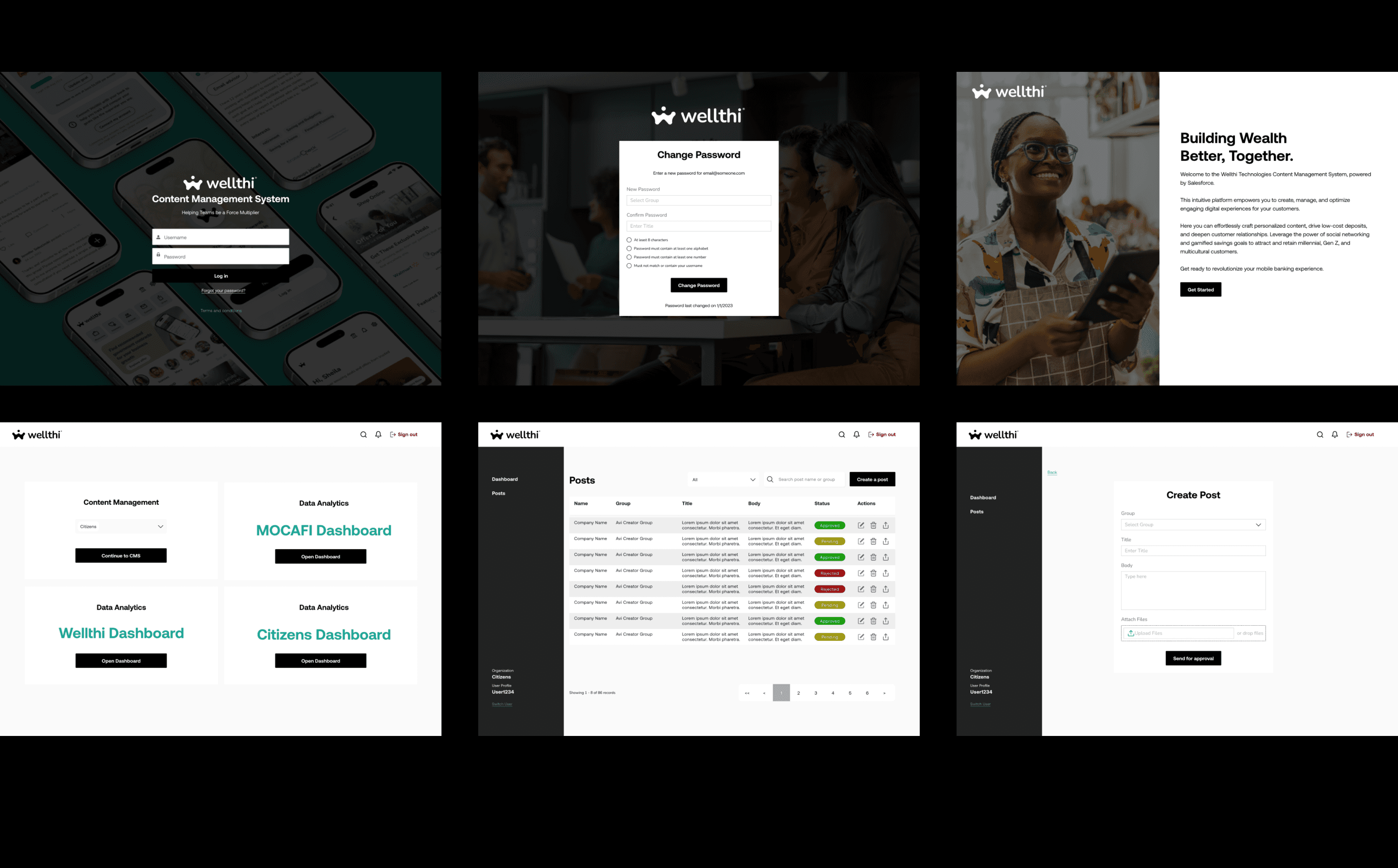
After receiving approval from the team, I developed mid-fidelity iterations of the CMS, aiming to present all necessary actions in the most intuitive layout. Once the mid-fidelity designs were approved, the next step was to determine the style direction. Here's a mixture of early concepts and mid-fidelity designs.
Overcoming Tech Constraints
The full system could not be built internally, thus I was required to leverage on Salesforce's Lightning Design System and component library.
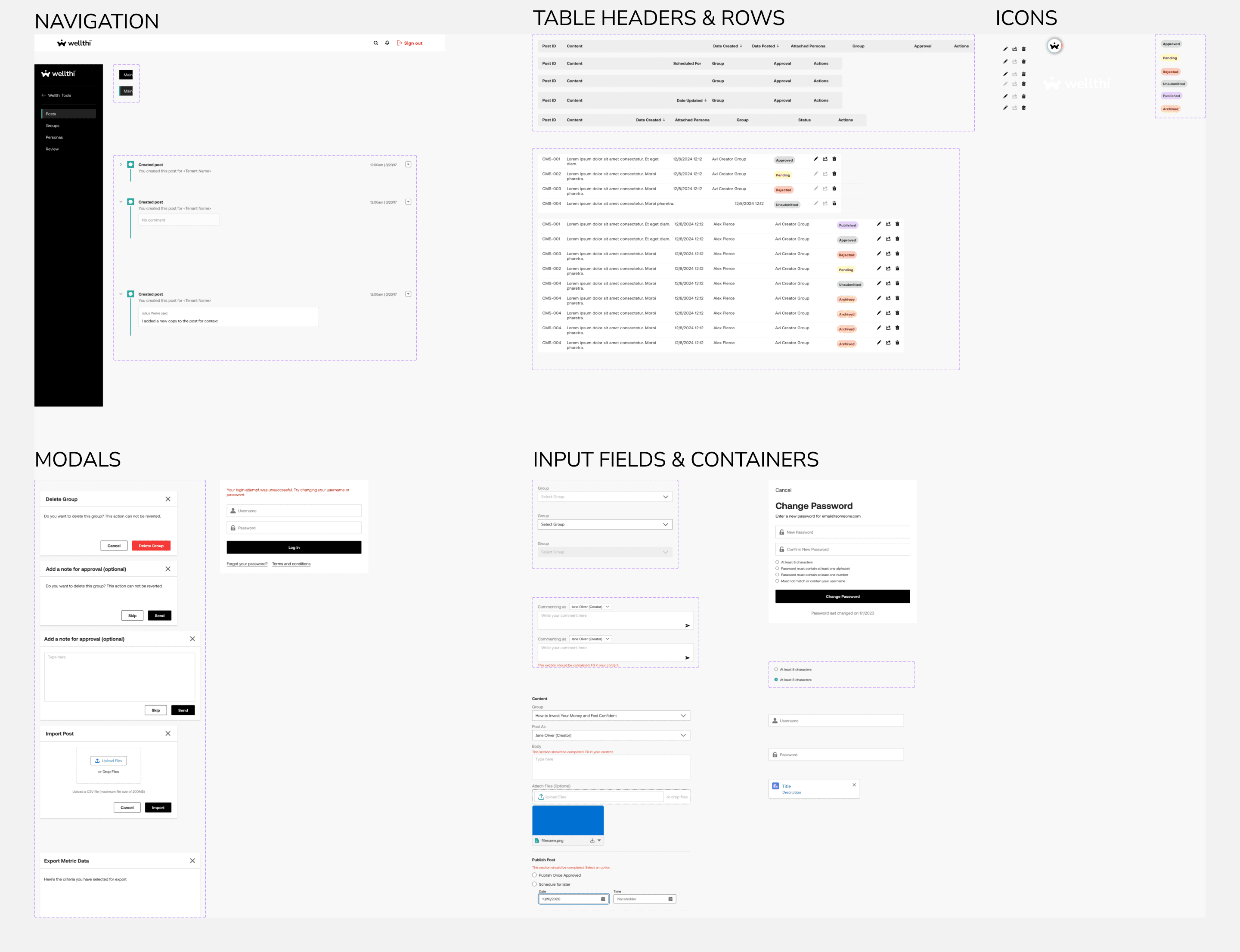
I also investigated this approach in collaboration with the external Salesforce developers to identify the design limitations. For example, we had to implement a 2-step login (for account on the CMS and user profile in app) rather than a condensed approach. Additionally, I could only reskin Salesforce components rather including those from Wellthi's design system to ensure that the developers had more time to work on backend logic than on aesthetics. Eventually, I was able to find compromises to guarantee a pleasant user experience for users.
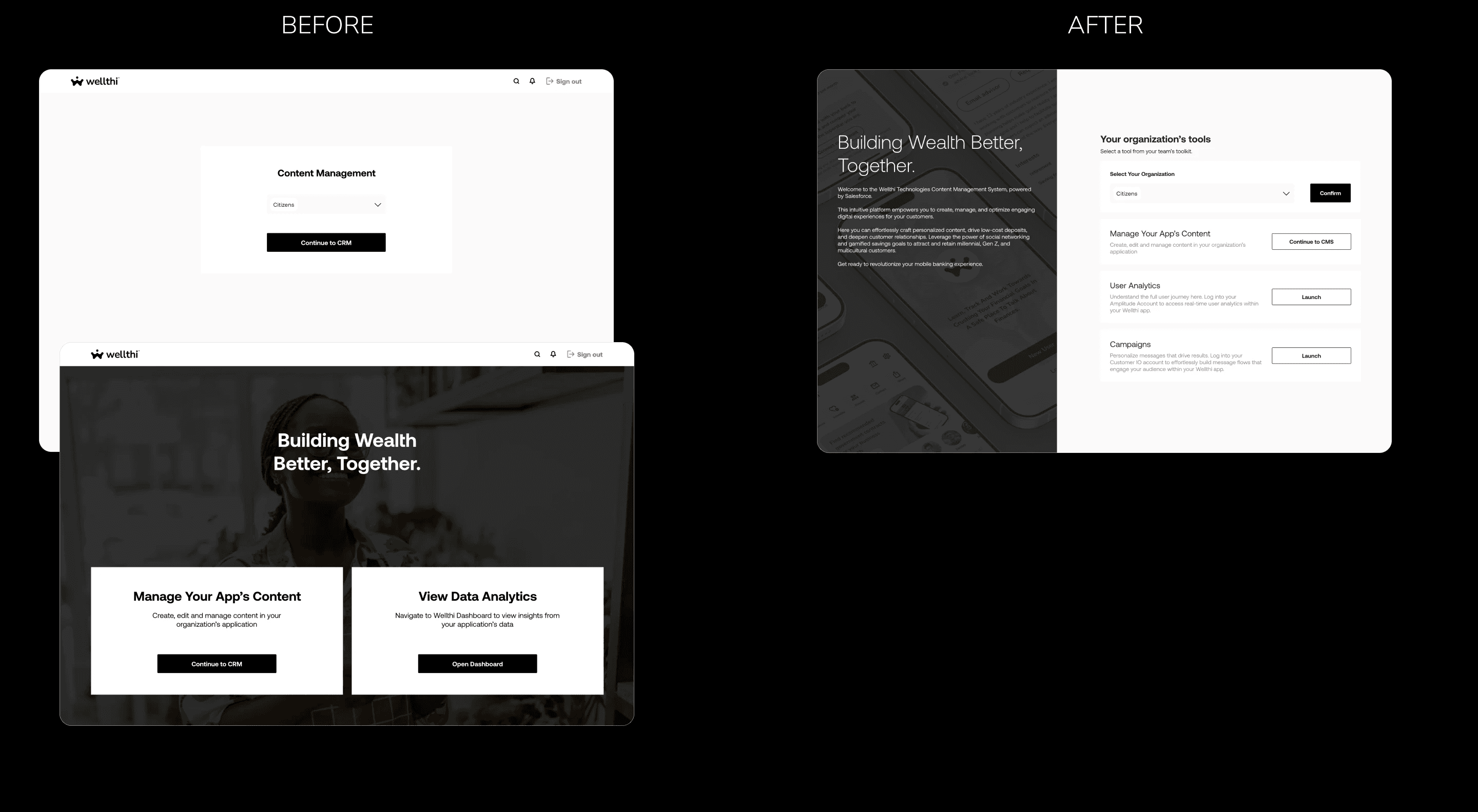
Reducing drop-off at sign up
The initial design had a separate screen to load partner resources which was too many user steps, thus increased fall off. I opted to merge the partner input field with resource selection for a better UX.
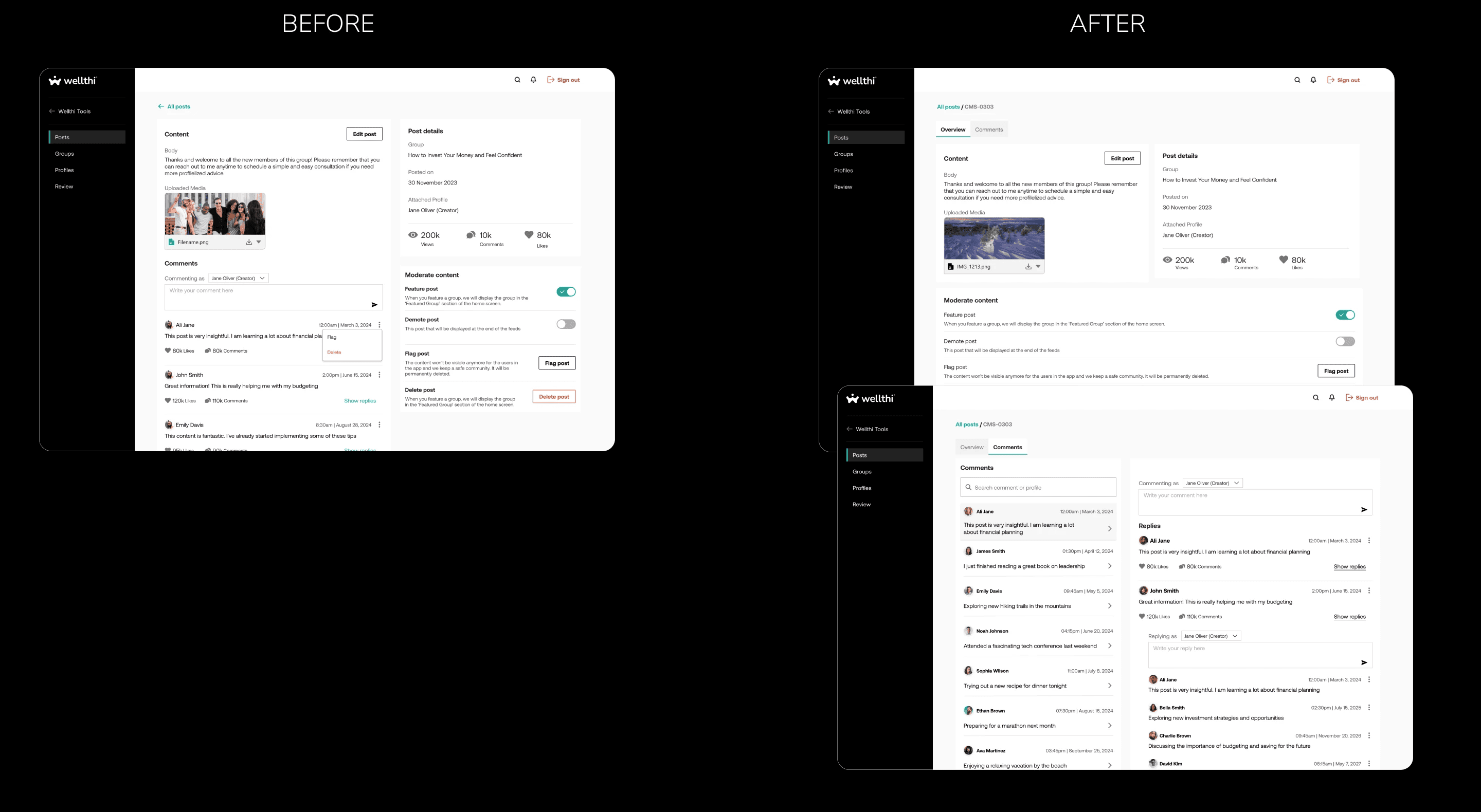
Fixing visual overload
As creators wanted to review comments and insights per post, our initial design had too many sections in the same screen which caused cognitive overload. To fix this, I created a separate tab for comments thus a chance for more functionality and a better UX.
THE OUTCOME
Despite time and tech constraints, we were able to launch the CMS portal and onboard the first client on our waiting list. Furthermore, the road map I provided the team was approved by stakeholders for future implementation.
REFLECTION AND CONCLUSION
In this project, I demonstrated my ability to integrate external design systems into an organization's design language. I recognized the economic value of this approach in terms of time management, as it allowed for faster development of features and facilitated more iterations for review. This experience was a valuable learning opportunity that I have come to embrace.